

Percentile cohorts
Latitude compares each trace with similar traces, so outliers are judged in context instead of against one global baseline. A cohort is defined by the trace’s exact tag combination. For example, traces taggedproduction and support-agent are compared with other traces that have the same tags. This keeps percentile badges meaningful across agents, environments, features, and workloads.
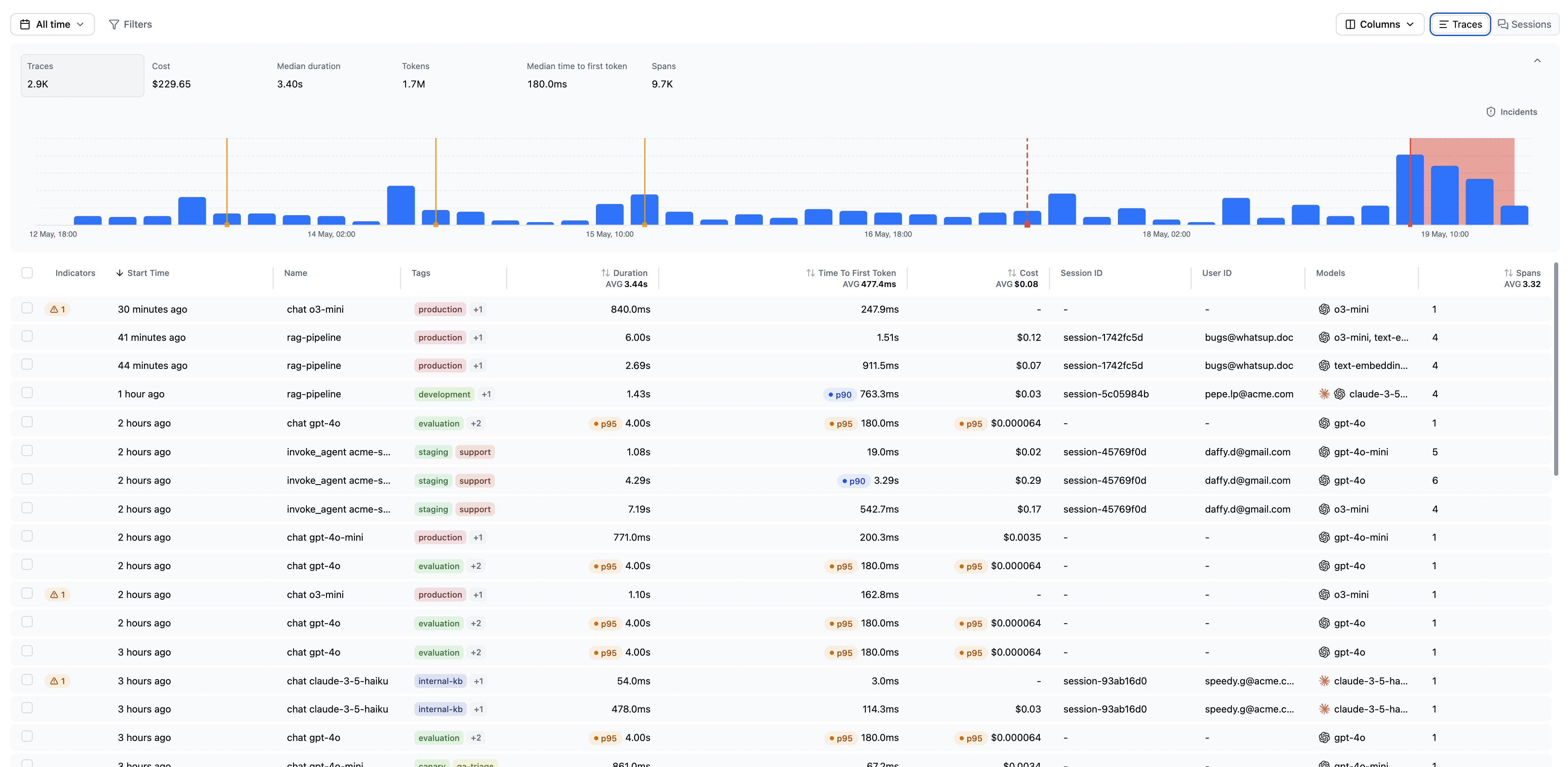
Tracked dimensions
Latitude builds cohort baselines for:- Duration: end-to-end trace duration
- TTFT: time to first token
- Cost: total estimated generation cost
- Tokens: total token count
Percentile badges
When a trace is unusually high for one of its cohort dimensions, Latitude can show a percentile badge such asp90, p95, or p99.
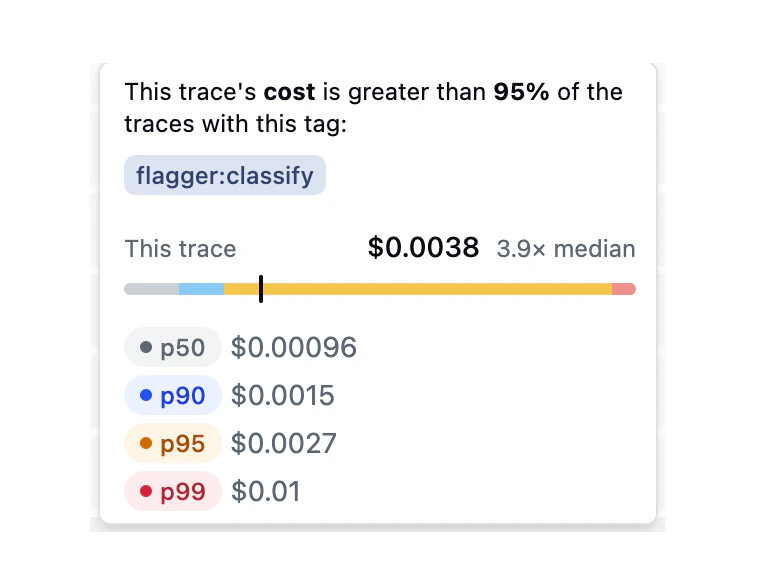
A p95 duration badge means the trace took longer than at least 95% of traces in its cohort. A p99 cost badge means it cost more than at least 99% of cohort traces.
The badge tooltip shows:
- the trace’s value
- the cohort’s baseline values
- the tags that define the cohort
- how far the trace is from the cohort median
Tag-scoped cohorts
Because cohorts use exact tag combinations, the same raw value can be normal in one cohort and unusual in another. For example:- a long-running research agent may normally have higher duration
- a checkout support agent may normally have lower token usage
- staging traces may have different latency than production traces
- canary traffic may have different cost characteristics than stable traffic
Minimum baseline size
Percentile cohorts need enough historical traces before higher percentiles are meaningful. Until then, Latitude does not show higher-percentile outlier badges for that cohort. As more traces arrive with the same tag combination, Latitude can compute stronger baselines and more precise comparisons.Using percentile cohorts
Use percentile cohorts to:- spot slow traces relative to similar traffic
- find high-cost traces for a specific agent or environment
- identify token-heavy behaviors in one product area
- investigate high TTFT for one model/provider cohort
- combine outlier badges with search to discover behavioral causes
p95 duration traces, then search for agent loops between tools to find looping behavior behind slow traces.
Related
- Duration: Track trace and session duration
- Token and cost tracking: Track usage and estimated cost
- Tags: Define useful cohorts with consistent tags
- Filters: Filter by percentile thresholds
- Search: Discover behaviors inside outlier cohorts