

Where this fits: Behaviors are part of the Understand section. Search finds what you
already know to look for; behaviors surface what you didn’t.
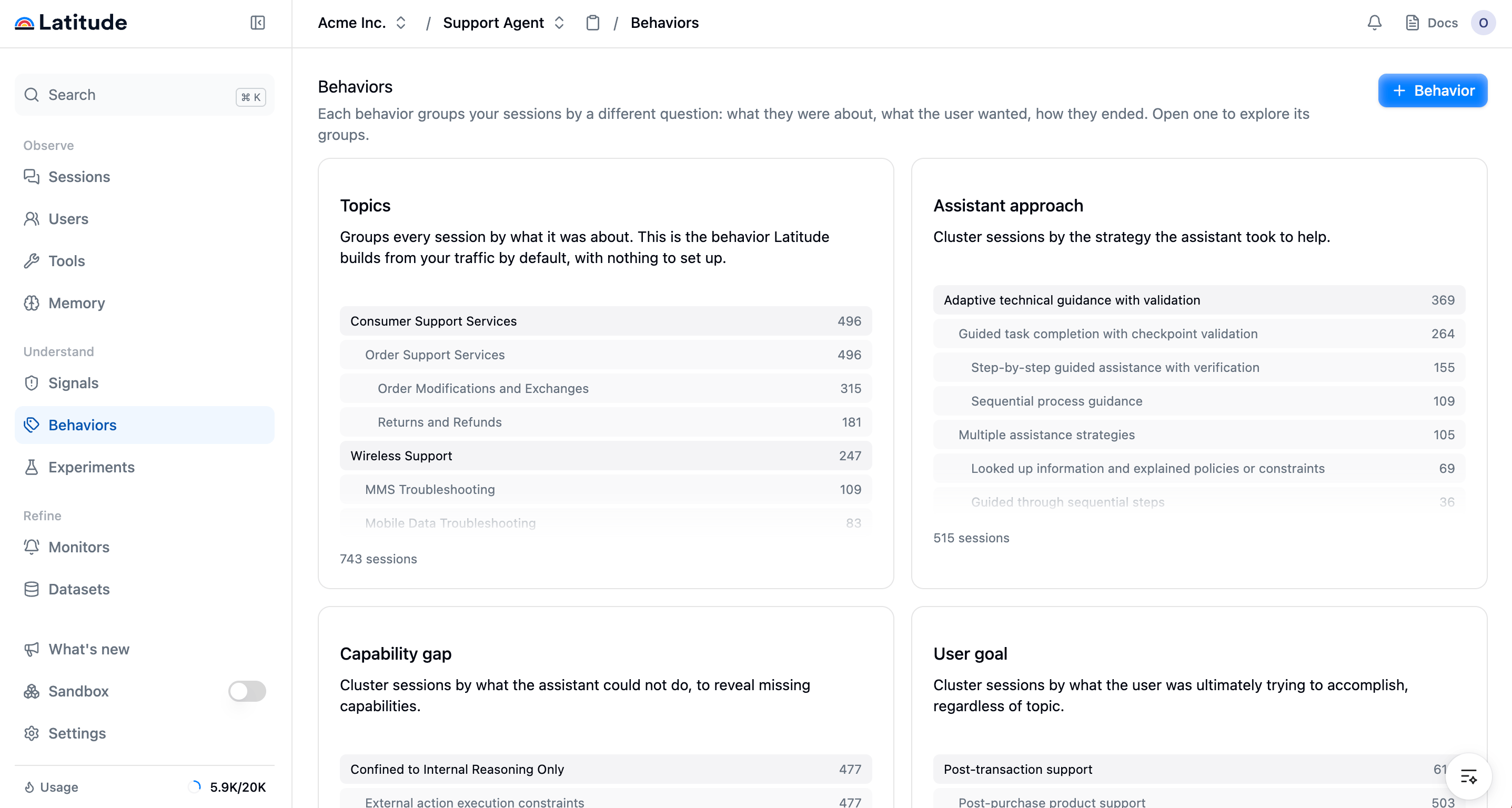
The Behaviors catalog: one card per behavior (Topics, User goal, Assistant approach, Capability gap), each previewing its top groups with session and view counts.
The behaviors you can add
Topics is always there and needs no setup: Latitude builds it from your traffic by default. Alongside it you can add:- User goal — what the user was ultimately trying to accomplish, regardless of topic.
- Outcome — how the conversation ended for the user.
- Friction reason — what got in the way of a smooth resolution.
- Assistant approach — the strategy the assistant took to help.
- Capability gap — what the assistant could not do, to reveal missing capabilities.
Add a behavior
Adding behaviors beyond Topics is in early access, enabled per workspace. Topics is
available to everyone. If you’d like to try adding your own behaviors and views, contact us at
hello@latitude.so.
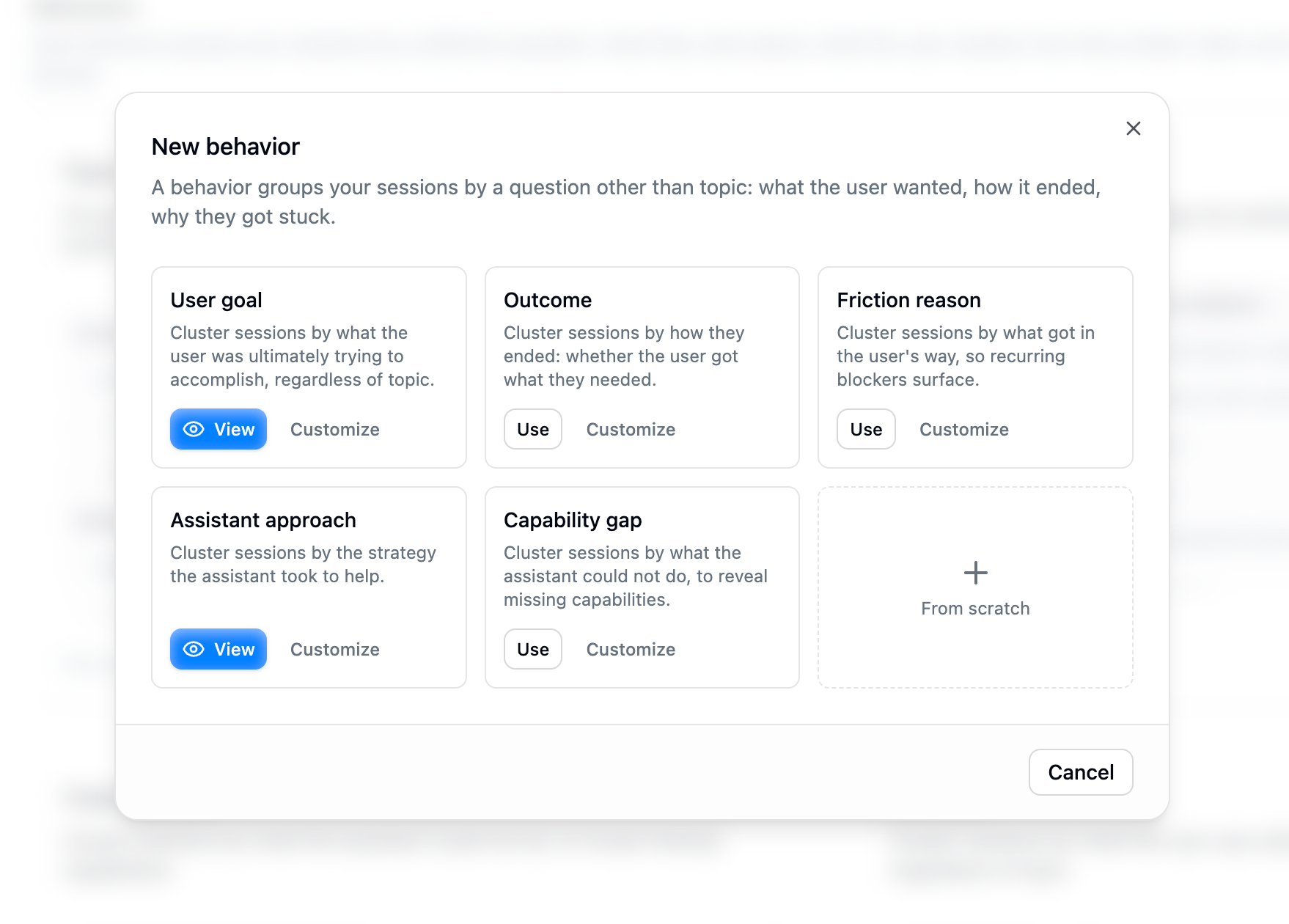
Adding a behavior: pick a preset such as User goal or Outcome, or author your own.
A behavior keeps itself up to date on a schedule as new sessions arrive. A brand-new behavior,
or one on a project without enough traffic yet, shows a waiting state until it has clustered
enough sessions.
Inspect a behavior
Open a behavior to see its groups as a hierarchy that emerges from your data. For each group the page shows:- a trend, for example new, spiking, rising, steady, cooling, or fading
- the number of sessions in that group
- outcome metrics such as escalation rate, resolution rate, churn risk, and wins
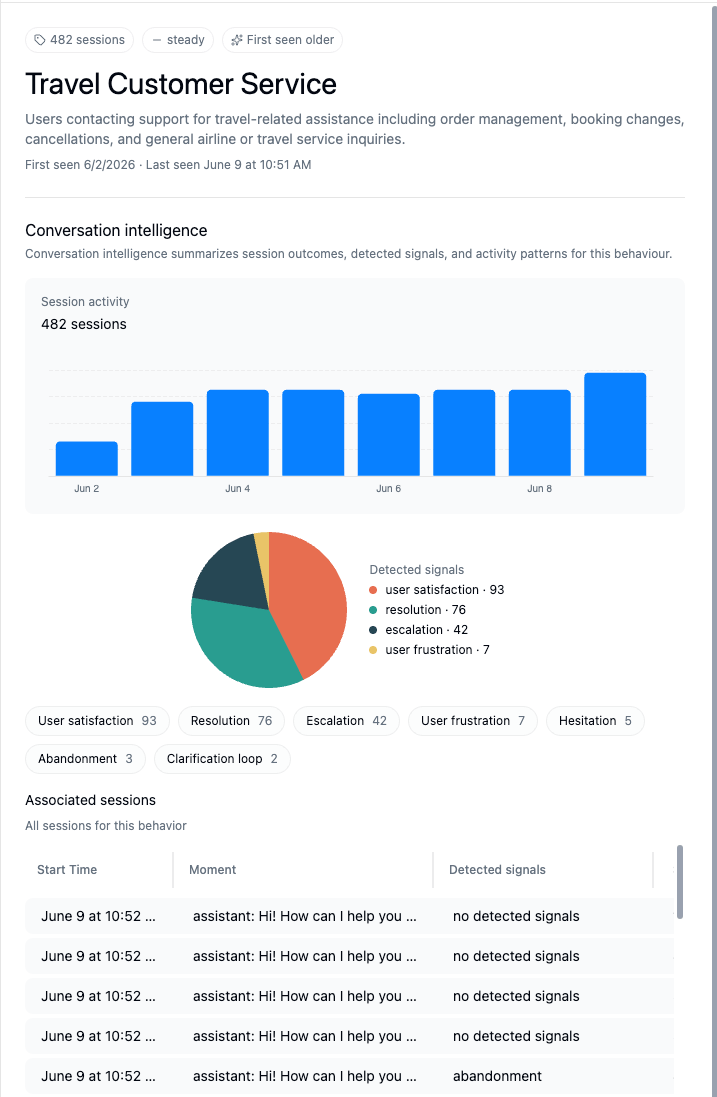
A behavior's detail view: its groups over time, a breakdown of detected moments, and the sessions behind them.
Narrow a behavior with views
A view is a saved filtered slice of a behavior. Inside any behavior, click + View to keep only the sessions that match a filter, for example one environment, one release, or a metadata value, and the behavior re-groups those sessions alone. Views are saved under their behavior, so you can return to “User goal, EU customers only” without rebuilding the filter each time.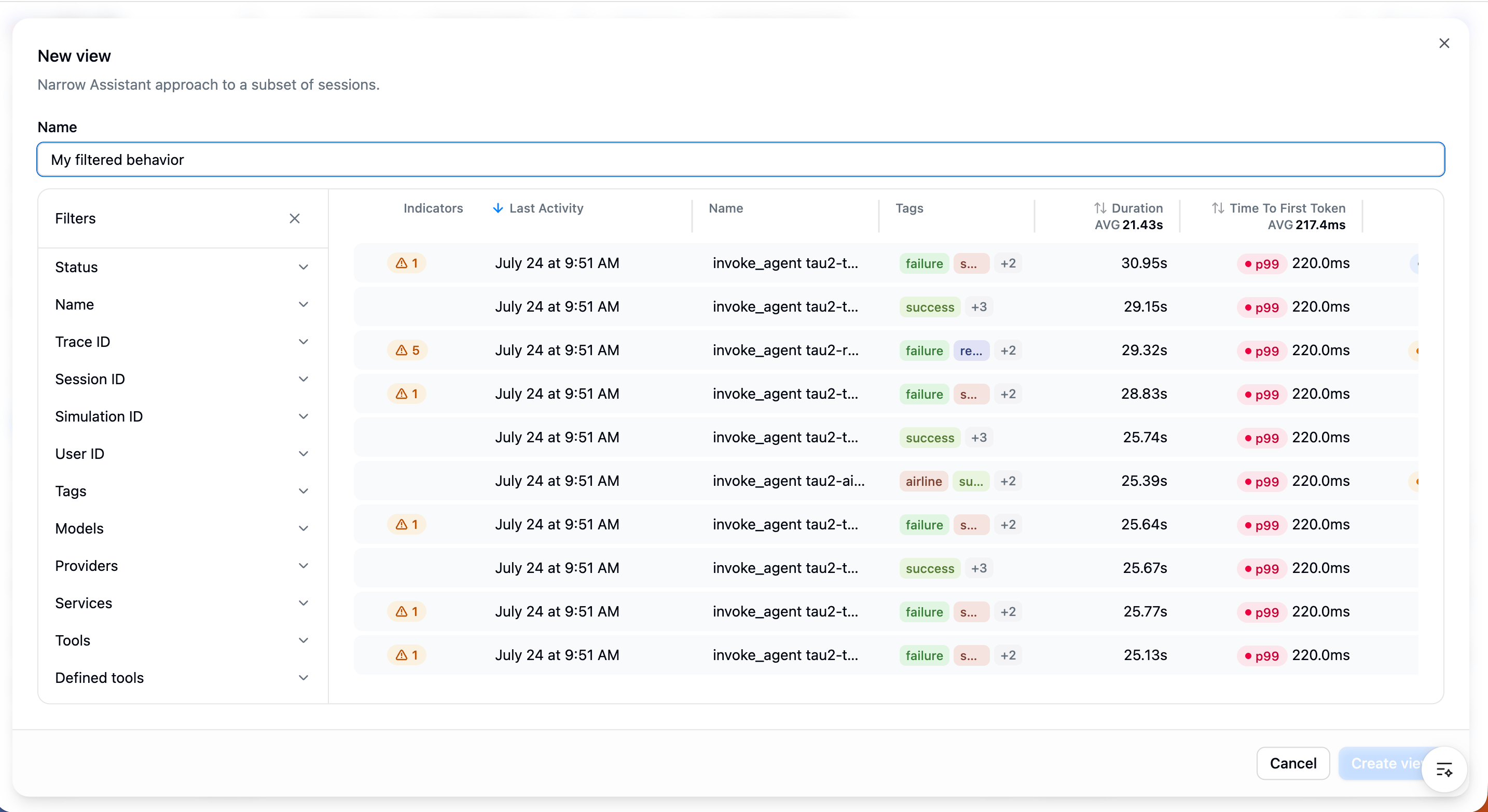
Creating a view: filter a behavior down to a slice of sessions, saved under that behavior.
Filter searches by topic
The Topics behavior is also available as a Topics filter in Search, so you can narrow any search to a specific topic and combine it with semantic, text, and metadata filters.Next step
- Saved searches: bookmark a search and review it over time.
- Signals: turn recurring failures in a behavior into a tracked signal.