

Agent Score
Agent Score is a project-level score from 0 to 100 that summarizes how your agent behaves in production. It combines five dimensions calculated from real sessions:
Open your project and select Agent Score under Observe.
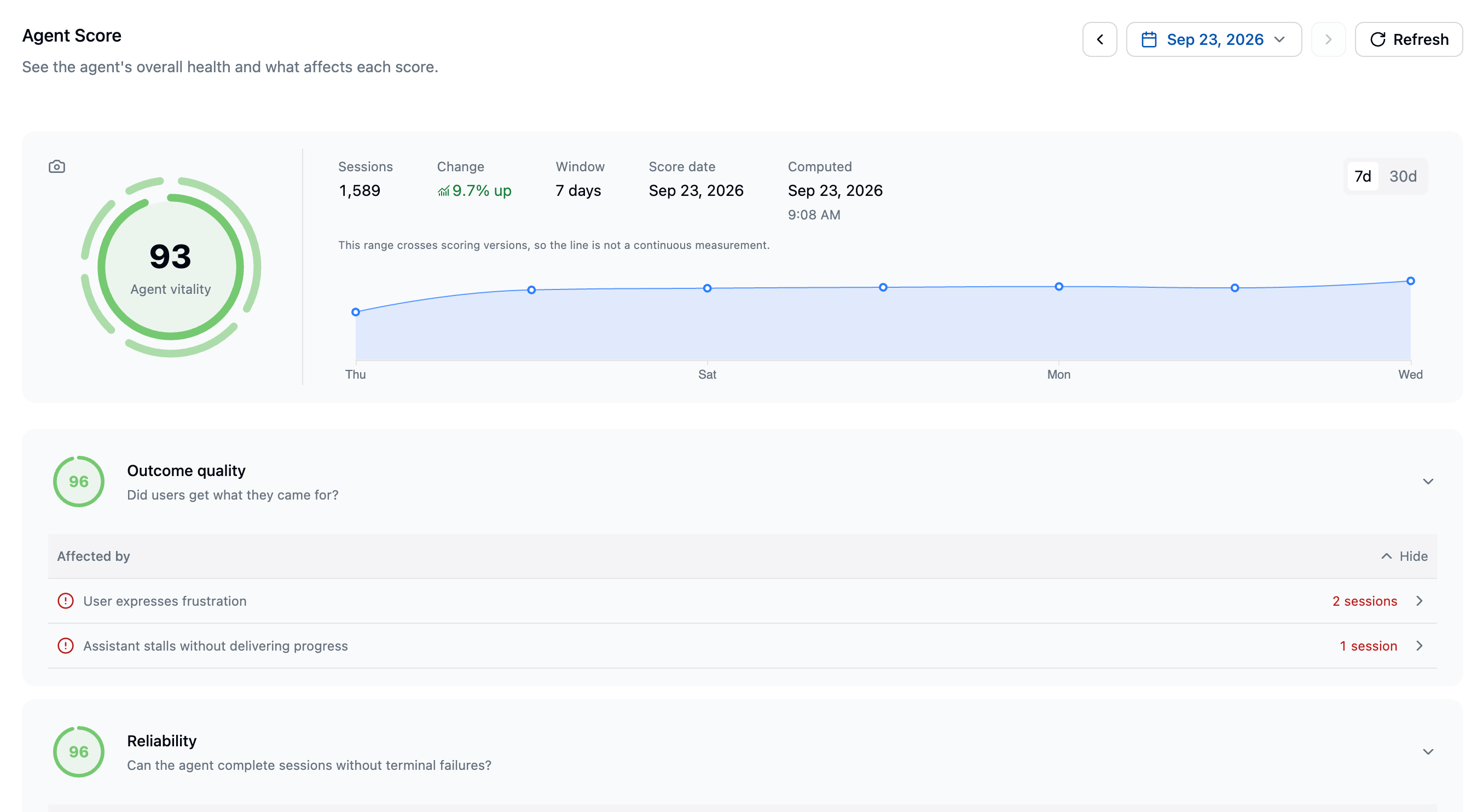
The Agent Score page: overall vitality, the window and session count behind it, the published trend, and one expandable section per dimension.
Read the score
The page shows the overall score, each dimension score, and the evidence behind them. Scores use a 0 to 100 scale and include a 95% confidence range. Use the dimension sections to see:- issues that lowered the score
- healthy evidence
- links to affected signals and the relevant investigation page
- evidence coverage when a score is not ready
Scoring window
Latitude calculates Agent Score daily from the shortest window with at least 50 eligible sessions:- 7 days
- 14 days
- 21 days
- 28 days
Publication requirements
Latitude publishes the overall score only when all five dimensions have enough usable evidence. It does not average the dimensions that are ready or fill missing dimensions with a default value. When a score is not ready, the page shows what evidence is still missing. Common reasons include:- fewer than 50 eligible sessions
- too few readable outcomes or safety judgments
- incomplete operational, cost, or critical-path timing data
How the overall score is weighted
Each dimension has its own estimator and coverage requirements. The weights do not redistribute when a dimension is unavailable.
Investigate a low score
- Open the affected dimension.
- Review the issues listed under Affected by.
- Follow an issue to its signal or the linked investigation page.
- Inspect representative sessions to identify the behavior, tool, model, or workflow causing the drop.
- Fix the underlying problem and watch the trend after new production sessions arrive.
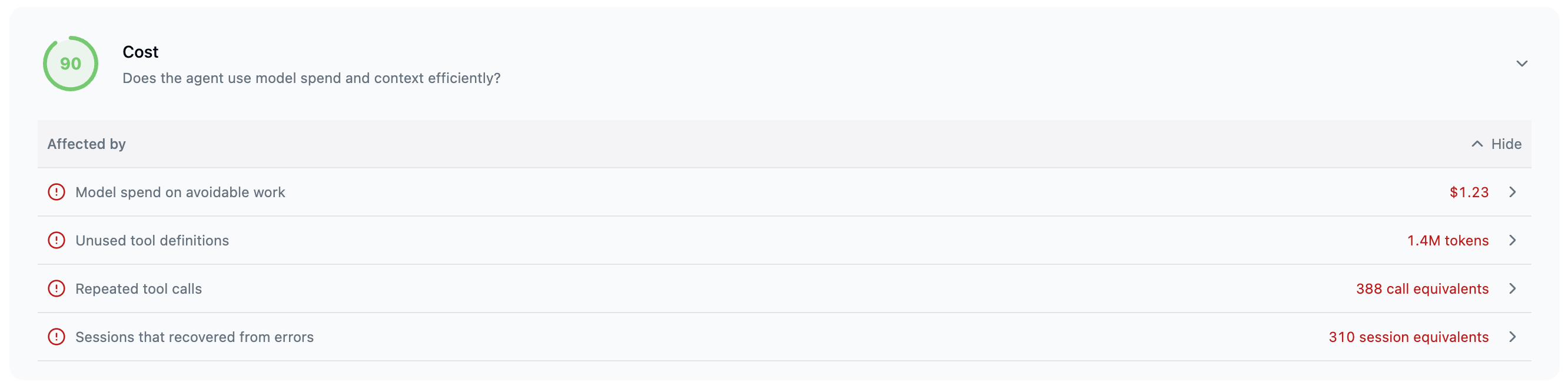
Each dimension lists what lowered it under Affected by, with the reach of each cause in its own unit.
Agent Score is still provisionally calibrated. Treat it as a structured production-health benchmark, then use the evidence in each dimension to decide what to investigate.
Share a score
The camera action on the vitality panel renders the selected published score and its five dimensions as an image you can copy or download as a PNG.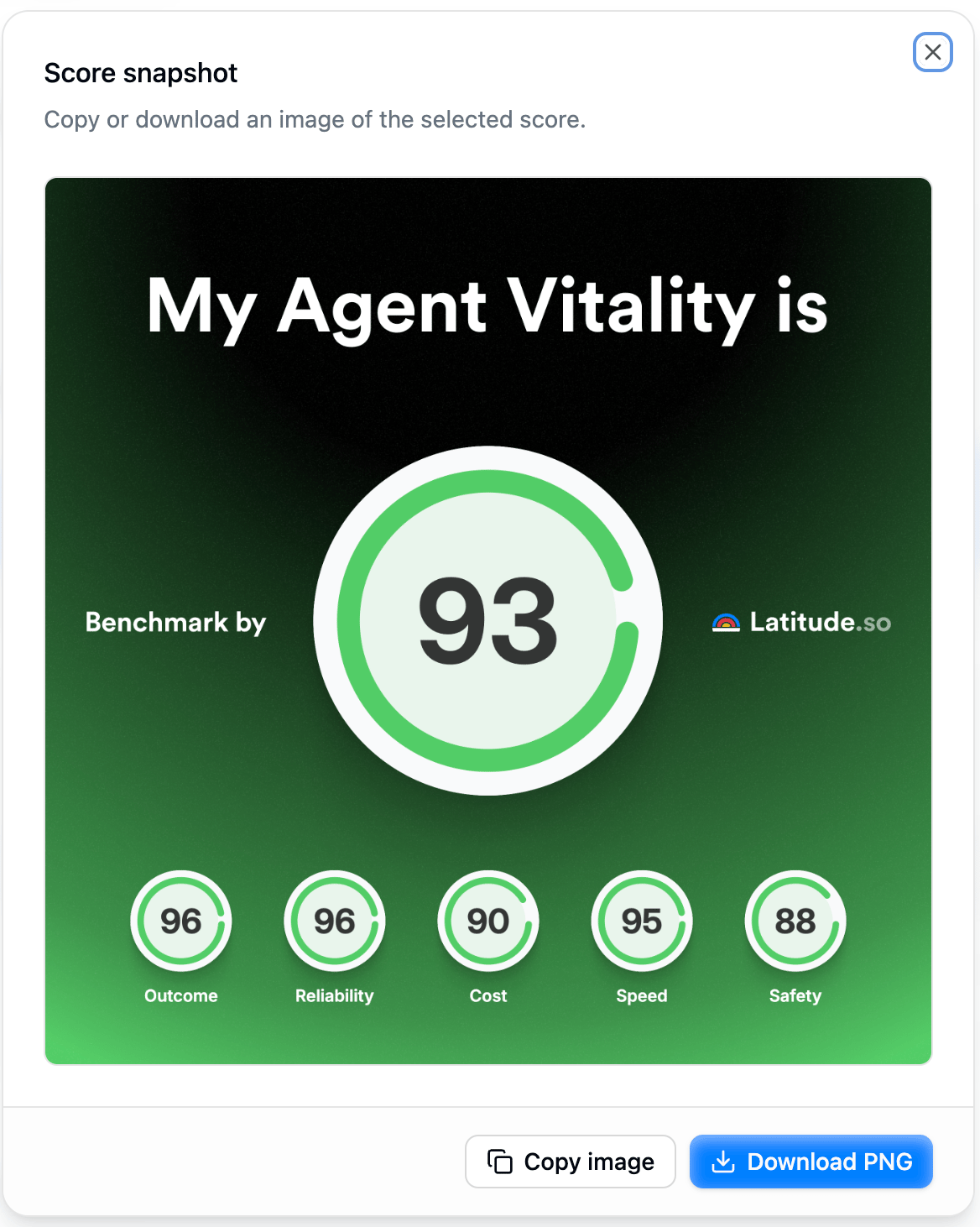
The score snapshot: the selected published score and its five dimensions, ready to copy or download.