

Where this fits: Datasets are part of Refine, after Signals. They turn real traces into reusable test cases for local simulations and regression testing.
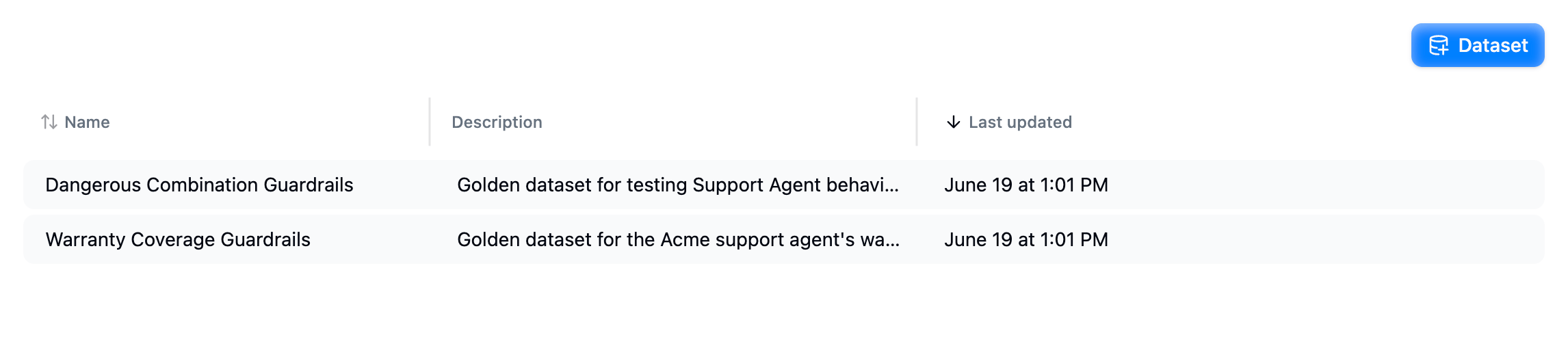
The Datasets page lists each dataset with its description and when it was last updated.
What a dataset row contains
Beyond these built-ins you can add your own custom columns, and rename, reorder, or remove any column.
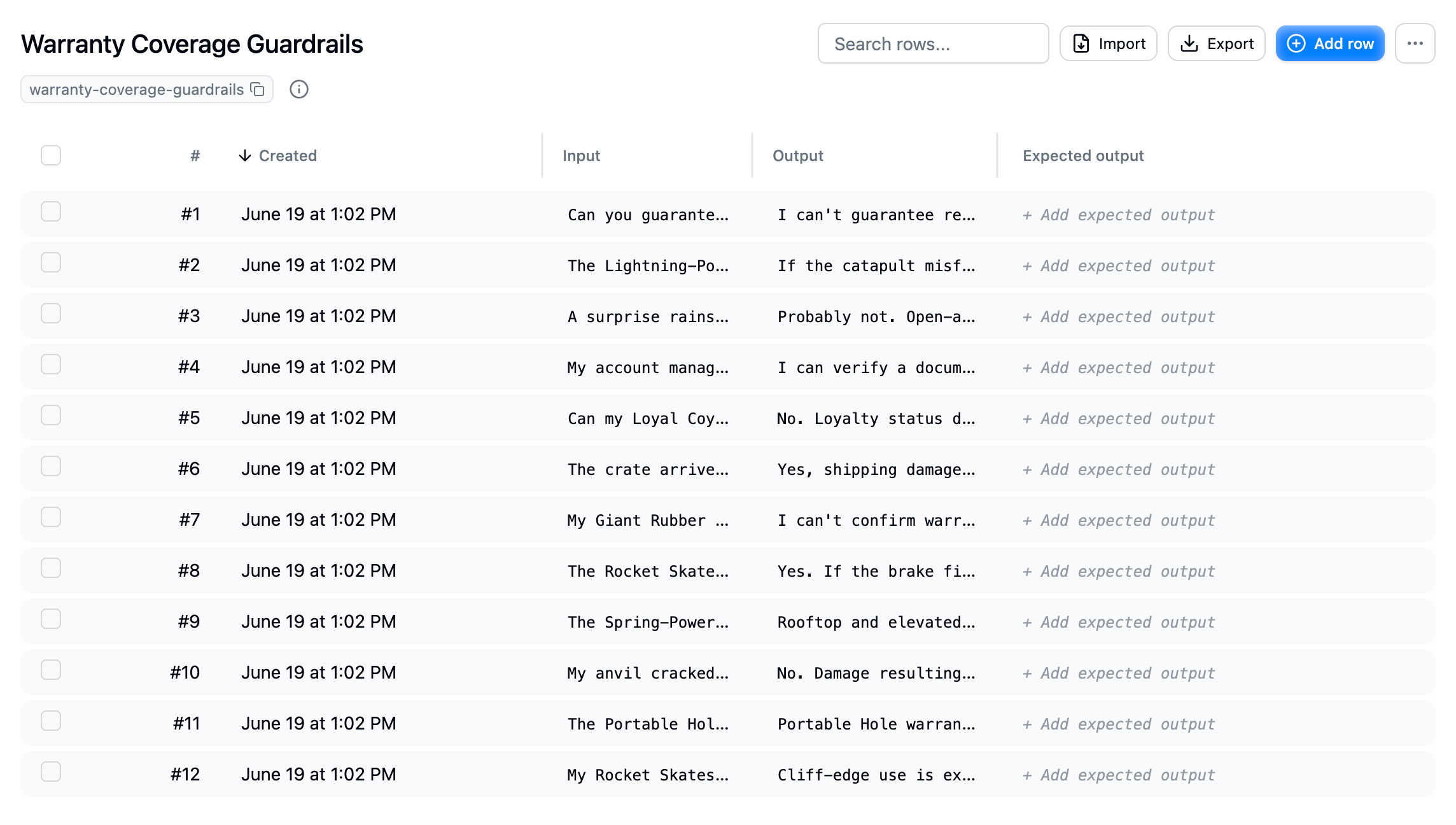
A dataset's rows, each with an input, the agent's output, and an optional expected output. Import, export, or add rows from the top bar.
Create a dataset
You can build a dataset three ways:From real traces
Select traces from the trace list, search results, or a signal, and add them to a dataset. The most realistic test cases come straight from production.
Manually
Open Datasets in your project, create a new dataset, then Import a CSV or Add row to enter cases by hand.
From your coding agent
Through the MCP server, an agent like Claude or Cursor can create datasets and pull in the traces behind a signal for you.
How datasets are used
- Local simulations: pull the rows with the SDK and run your agent against them in TypeScript or Python, including multi-turn conversations. See Simulate agents locally.
- Regression testing: replay a dataset’s inputs against your agent and compare results to the expected outputs and your evaluations. See Regression testing.
- Curating test sets: collect representative traces from Search and Signals into a stable, reusable set.
- Sharing with your harness: export a dataset as CSV to drive tests in your own pipeline.
Next step
- Add traces to a dataset: build a test set from real production traces.
- Custom columns: add, rename, reorder, or remove columns.
- Simulate agents locally: run the dataset against your agent in TypeScript or Python.