> ## Documentation Index
> Fetch the complete documentation index at: https://docs.latitude.so/llms.txt
> Use this file to discover all available pages before exploring further.
# Search Overview
> Find traces by meaning or exact text, combine search with filters, and save the searches your team uses repeatedly
# Search
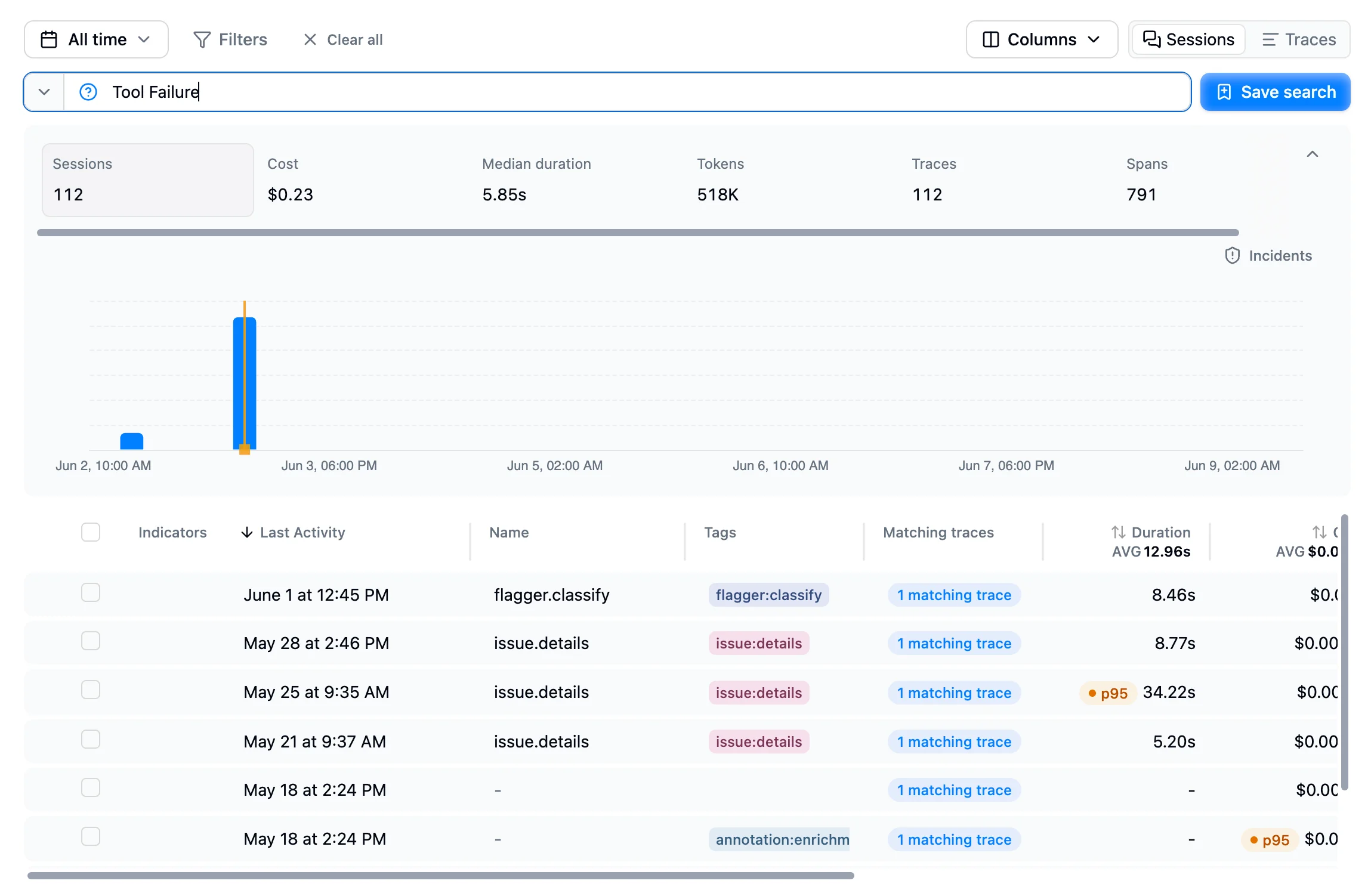
Search lives on the **Traces** page. Use the search bar to find behaviours across production traces by meaning, exact text, or both, then narrow results with filters.
Every trace is searchable: 100% of ingested traces are available for semantic and text search within your project's retention window.
 ## Types of search
Latitude supports two complementary search modes.
### Semantic search
Semantic search is the default. Type a plain-language description, and Latitude returns traces whose conversations are closest in meaning.
Examples:
* *users complaining about billing*
* *agent gets stuck calling tools*
* *refund requests that were not resolved*
* *assistant gave a vague answer*
Semantic search works even when a trace does not contain those exact words. For example, *user is frustrated* can find traces where the user says *"this is the third time I've explained this"* or *"you're not helping"*.
### Exact text search
Use quotes around words or phrases that must appear exactly in the trace.
```text theme={"theme":{"light":"github-light","dark":"github-dark"}}
"checkout" users abandoning cart
```
This requires *checkout* to appear, then ranks matches by semantic relevance to *users abandoning cart*. Use exact text search when a product name, tool name, error message, or policy phrase matters.
## Combine search with filters
Search finds relevant conversation content; filters narrow it by trace metadata such as status, model, provider, service, tags, user, session, cost, latency, token usage, or custom fields.
For example, search for *agent loops between tools* and filter to production traces from a specific model, service, or customer segment. A trace must match both the query and filters to appear.
## Running a search
## Types of search
Latitude supports two complementary search modes.
### Semantic search
Semantic search is the default. Type a plain-language description, and Latitude returns traces whose conversations are closest in meaning.
Examples:
* *users complaining about billing*
* *agent gets stuck calling tools*
* *refund requests that were not resolved*
* *assistant gave a vague answer*
Semantic search works even when a trace does not contain those exact words. For example, *user is frustrated* can find traces where the user says *"this is the third time I've explained this"* or *"you're not helping"*.
### Exact text search
Use quotes around words or phrases that must appear exactly in the trace.
```text theme={"theme":{"light":"github-light","dark":"github-dark"}}
"checkout" users abandoning cart
```
This requires *checkout* to appear, then ranks matches by semantic relevance to *users abandoning cart*. Use exact text search when a product name, tool name, error message, or policy phrase matters.
## Combine search with filters
Search finds relevant conversation content; filters narrow it by trace metadata such as status, model, provider, service, tags, user, session, cost, latency, token usage, or custom fields.
For example, search for *agent loops between tools* and filter to production traces from a specific model, service, or customer segment. A trace must match both the query and filters to appear.
## Running a search
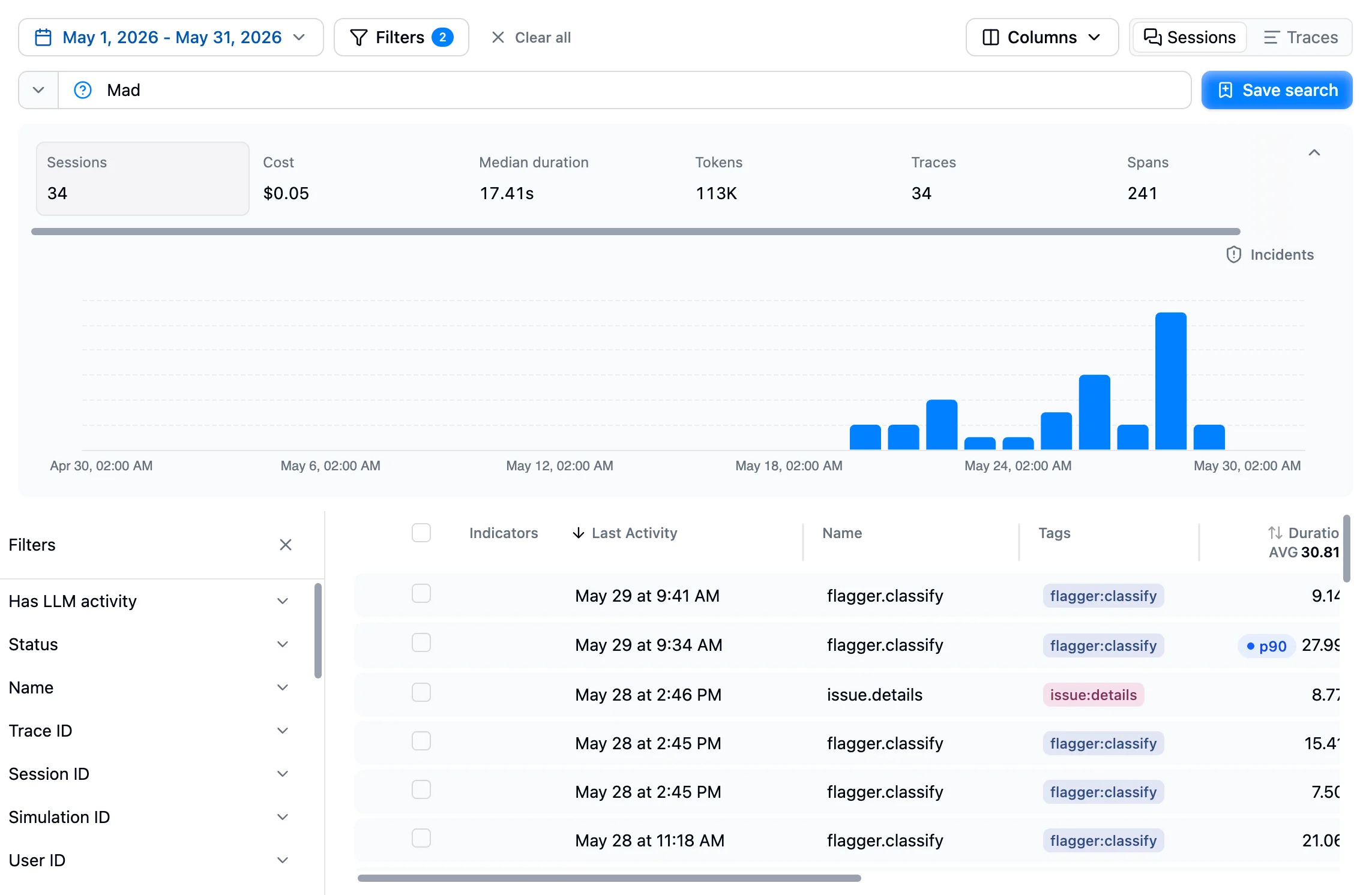 1. Type a query in the search bar and press Enter.
2. Add filters to narrow the cohort.
3. Pick a time range if you only care about a recent window.
4. Open any matching trace to inspect the conversation, spans, scores, and annotations.
When you search by meaning, results are ordered by relevance. When you only use exact quoted text, results use the normal trace ordering and table controls.
## Saving a search
When a query, filters, or both become useful enough to revisit, click **Save search** and give it a clear name, such as *Failed payments* or *Tool loops in production*.
Saved searches then appear in the **Saved searches** dropdown next to the search bar. See [Saved Searches](./saved-searches) for the full lifecycle.
## Empty results
If a search returns nothing:
* Reword the query. Semantic search works best with natural descriptions.
* Remove quotes unless an exact phrase is required.
* Widen the time range.
* Loosen filters that may be excluding relevant traces.
## Search and the rest of Latitude
Search is the discovery layer for behaviours Latitude should track. A typical workflow is:
1. Search for a user or agent behaviour you care about.
2. Open representative traces.
3. Annotate traces that show a real failure mode.
4. Latitude turns failed annotations and related scores into [signals](../signals/overview).
5. Generate evaluations from important signals to monitor them automatically on incoming traces.
| Feature | Relationship |
| ----------------------------------------------------------- | -------------------------------------------------------------------------------- |
| **[Saved searches](./saved-searches)** | Revisit useful behavioural cohorts |
| **[Inline annotations](../annotations/inline-annotations)** | Label traces from search as good or bad behaviour |
| **[Signals](../signals/overview)** | Turn failed annotations and scores into trackable production signals |
| **[Flaggers](../annotations/flaggers)** | Automatically detect common categories; use search for product-specific patterns |
## Next steps
* [Saved Searches](./saved-searches): Save behavioural cohorts for repeated review
* [Inline Annotations](../annotations/inline-annotations): Label traces you find through search
* [Signals](../signals/overview): Track recurring failure modes
* [Filters](../observability/filters): Narrow searches with trace metadata
1. Type a query in the search bar and press Enter.
2. Add filters to narrow the cohort.
3. Pick a time range if you only care about a recent window.
4. Open any matching trace to inspect the conversation, spans, scores, and annotations.
When you search by meaning, results are ordered by relevance. When you only use exact quoted text, results use the normal trace ordering and table controls.
## Saving a search
When a query, filters, or both become useful enough to revisit, click **Save search** and give it a clear name, such as *Failed payments* or *Tool loops in production*.
Saved searches then appear in the **Saved searches** dropdown next to the search bar. See [Saved Searches](./saved-searches) for the full lifecycle.
## Empty results
If a search returns nothing:
* Reword the query. Semantic search works best with natural descriptions.
* Remove quotes unless an exact phrase is required.
* Widen the time range.
* Loosen filters that may be excluding relevant traces.
## Search and the rest of Latitude
Search is the discovery layer for behaviours Latitude should track. A typical workflow is:
1. Search for a user or agent behaviour you care about.
2. Open representative traces.
3. Annotate traces that show a real failure mode.
4. Latitude turns failed annotations and related scores into [signals](../signals/overview).
5. Generate evaluations from important signals to monitor them automatically on incoming traces.
| Feature | Relationship |
| ----------------------------------------------------------- | -------------------------------------------------------------------------------- |
| **[Saved searches](./saved-searches)** | Revisit useful behavioural cohorts |
| **[Inline annotations](../annotations/inline-annotations)** | Label traces from search as good or bad behaviour |
| **[Signals](../signals/overview)** | Turn failed annotations and scores into trackable production signals |
| **[Flaggers](../annotations/flaggers)** | Automatically detect common categories; use search for product-specific patterns |
## Next steps
* [Saved Searches](./saved-searches): Save behavioural cohorts for repeated review
* [Inline Annotations](../annotations/inline-annotations): Label traces you find through search
* [Signals](../signals/overview): Track recurring failure modes
* [Filters](../observability/filters): Narrow searches with trace metadata