> ## Documentation Index
> Fetch the complete documentation index at: https://docs.latitude.so/llms.txt
> Use this file to discover all available pages before exploring further.
# Behaviours
> Group your sessions by a question, such as what they were about or what the user was trying to do, and save filtered views of each grouping.
**Where this fits:** Behaviours are part of the **Understand** section. Search finds what you
already know to look for; behaviours surface what you didn't.
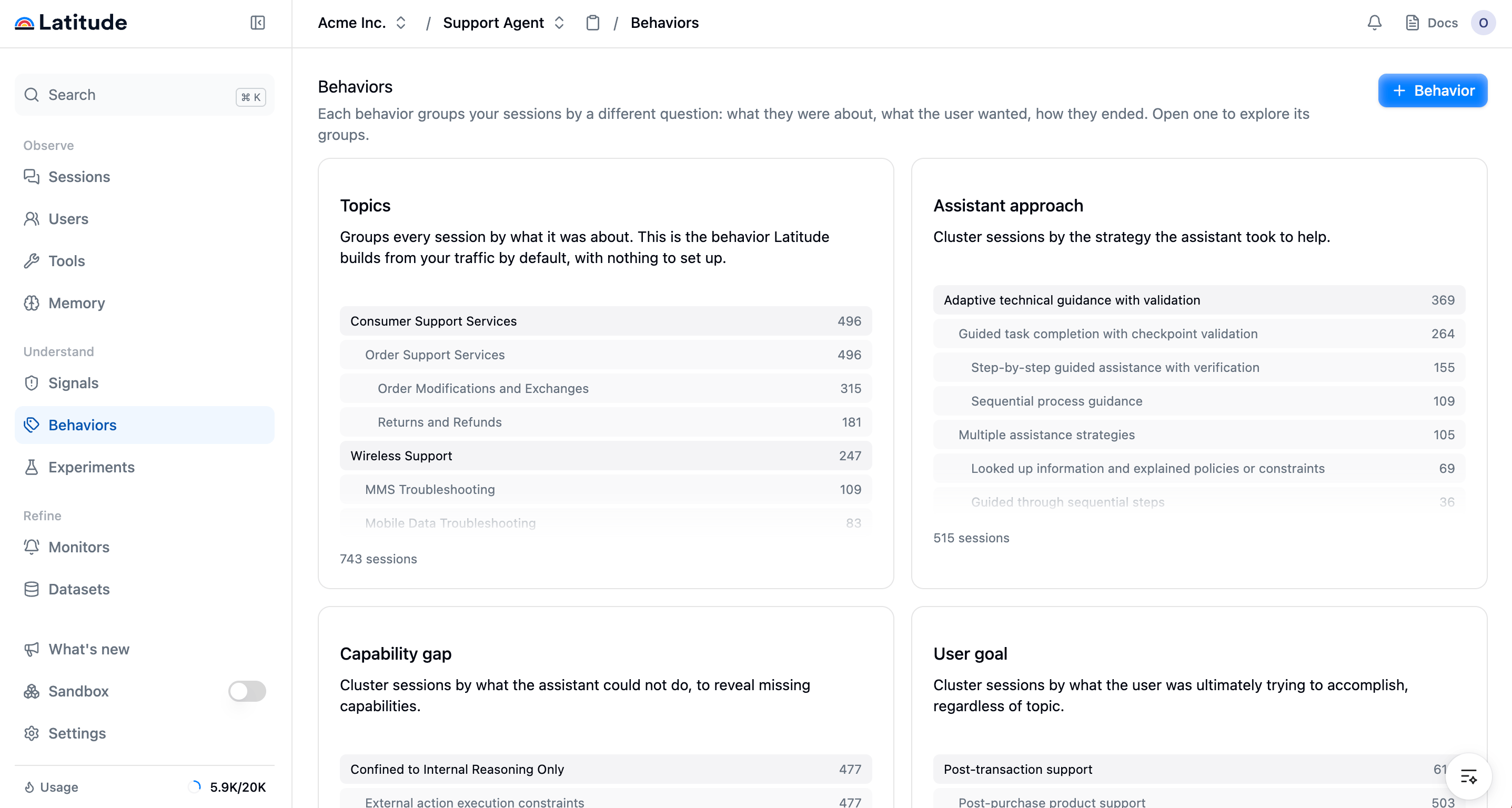
A **behaviour** is a question your [sessions](../getting-started/concepts) get grouped by. Latitude ships one out of the box, **Topics** ("what was this conversation about?"), and you can add more. Each behaviour clusters the same sessions a different way, so the same traffic can be read as "what were people doing", "what were they trying to accomplish", or "why did we fall short".
The Behaviours page is the catalog of those groupings: one card per behaviour, each showing what it groups by and a preview of its top groups.
 ## The behaviours you can add
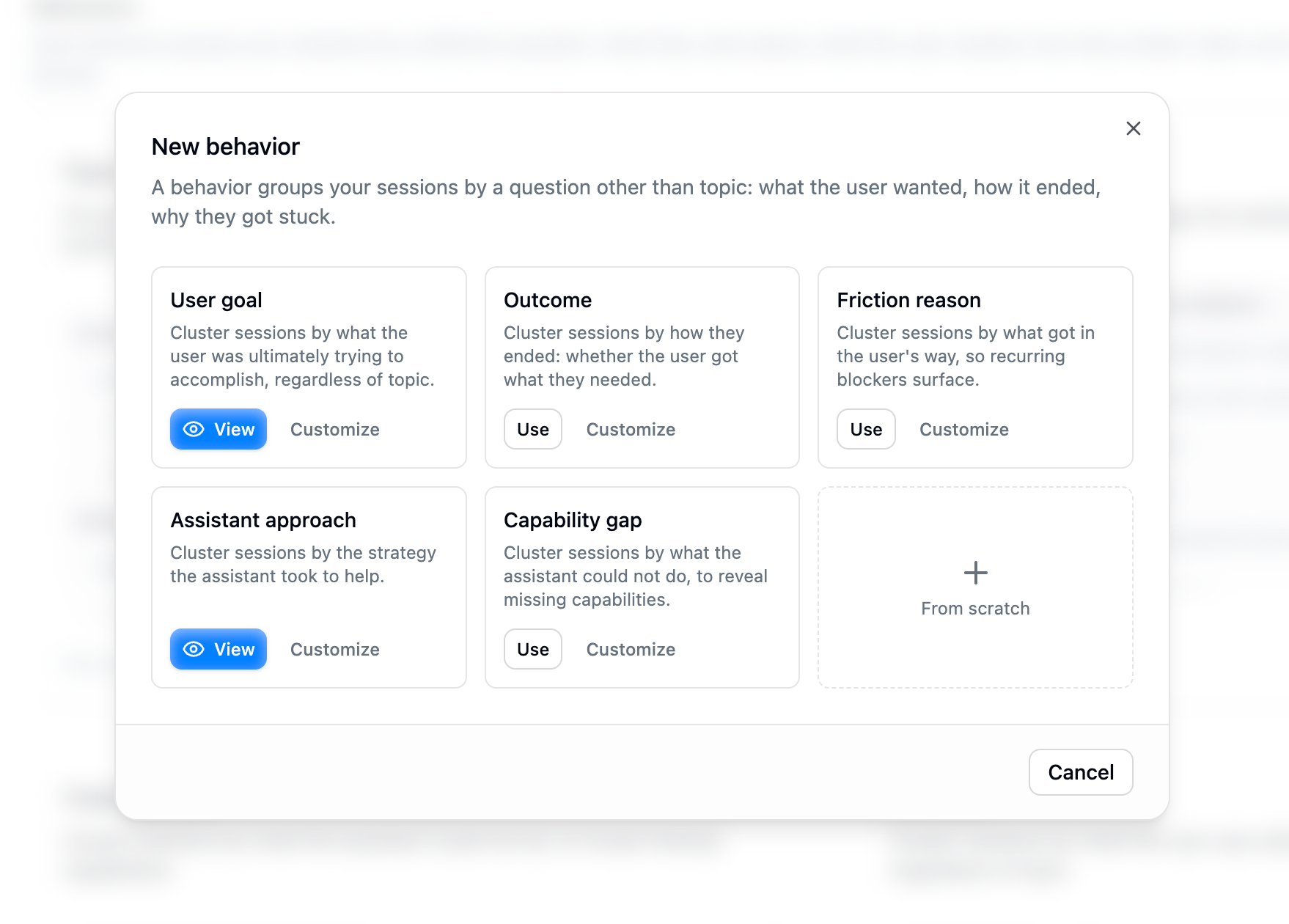
**Topics** is always there and needs no setup: Latitude builds it from your traffic by default. Alongside it you can add:
* **User goal** — what the user was ultimately trying to accomplish, regardless of topic.
* **Outcome** — how the conversation ended for the user.
* **Friction reason** — what got in the way of a smooth resolution.
* **Assistant approach** — the strategy the assistant took to help.
* **Capability gap** — what the assistant could not do, to reveal missing capabilities.
You can also write your own behaviour by describing the question you want sessions grouped by.
## Add a behaviour
Adding behaviours beyond **Topics** is in early access, enabled per workspace. Topics is
available to everyone. If you'd like to try adding your own behaviours and views, contact us at
[hello@latitude.so](mailto:hello@latitude.so).
Click **+ Behaviour** to open the catalog. Pick one of the presets, or author your own by giving it a name, a short description, and the instructions that define what to extract from each session.
## The behaviours you can add
**Topics** is always there and needs no setup: Latitude builds it from your traffic by default. Alongside it you can add:
* **User goal** — what the user was ultimately trying to accomplish, regardless of topic.
* **Outcome** — how the conversation ended for the user.
* **Friction reason** — what got in the way of a smooth resolution.
* **Assistant approach** — the strategy the assistant took to help.
* **Capability gap** — what the assistant could not do, to reveal missing capabilities.
You can also write your own behaviour by describing the question you want sessions grouped by.
## Add a behaviour
Adding behaviours beyond **Topics** is in early access, enabled per workspace. Topics is
available to everyone. If you'd like to try adding your own behaviours and views, contact us at
[hello@latitude.so](mailto:hello@latitude.so).
Click **+ Behaviour** to open the catalog. Pick one of the presets, or author your own by giving it a name, a short description, and the instructions that define what to extract from each session.
 When you add a behaviour, Latitude analyses a sample of your sessions through it once to build the first grouping. During that pass you see the answers it extracts and a quick read on their quality, such as how often the question was answerable and how many distinct answers came back. If a question does not separate your sessions well, you can refine it before the grouping is built rather than after.
A behaviour keeps itself up to date on a schedule as new sessions arrive. A brand-new behaviour,
or one on a project without enough traffic yet, shows a waiting state until it has clustered
enough sessions.
## Inspect a behaviour
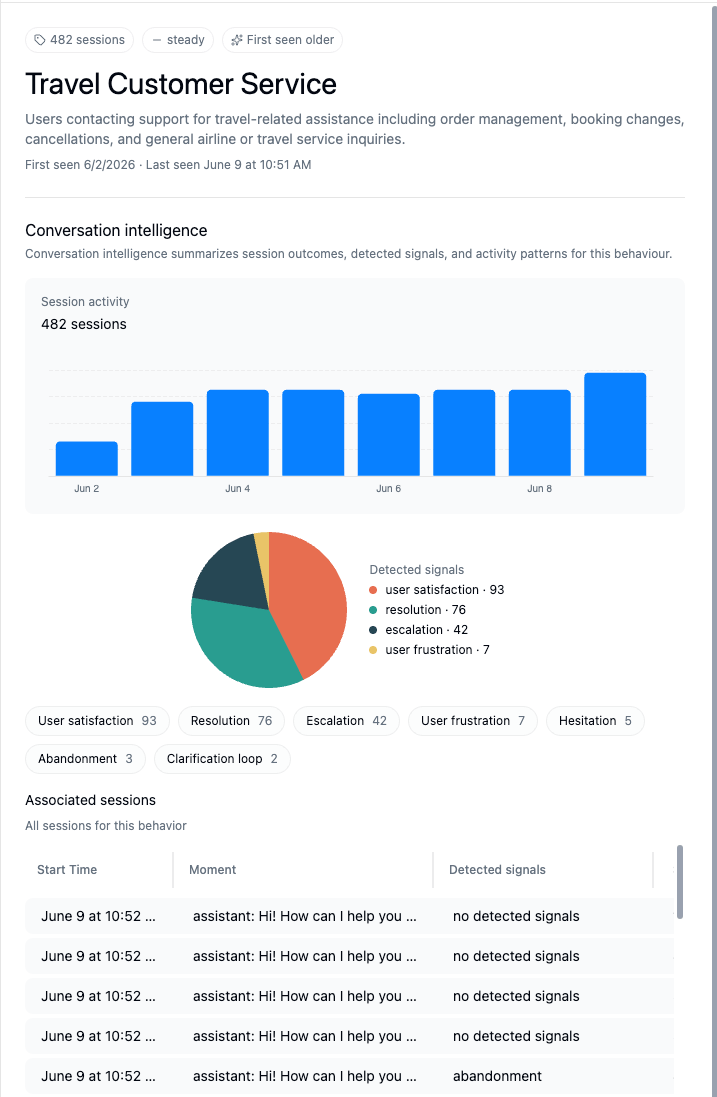
Open a behaviour to see its groups as a hierarchy that emerges from your data. For each group the page shows:
* a **trend**, for example new, spiking, rising, steady, cooling, or fading
* the **number of sessions** in that group
* outcome metrics such as escalation rate, resolution rate, churn risk, and wins
From a group you can review the underlying [traces](../observability/traces), [annotate](../annotations/overview) them, and let recurring failures flow into [Signals](../signals/overview).
When you add a behaviour, Latitude analyses a sample of your sessions through it once to build the first grouping. During that pass you see the answers it extracts and a quick read on their quality, such as how often the question was answerable and how many distinct answers came back. If a question does not separate your sessions well, you can refine it before the grouping is built rather than after.
A behaviour keeps itself up to date on a schedule as new sessions arrive. A brand-new behaviour,
or one on a project without enough traffic yet, shows a waiting state until it has clustered
enough sessions.
## Inspect a behaviour
Open a behaviour to see its groups as a hierarchy that emerges from your data. For each group the page shows:
* a **trend**, for example new, spiking, rising, steady, cooling, or fading
* the **number of sessions** in that group
* outcome metrics such as escalation rate, resolution rate, churn risk, and wins
From a group you can review the underlying [traces](../observability/traces), [annotate](../annotations/overview) them, and let recurring failures flow into [Signals](../signals/overview).
 ## Narrow a behaviour with views
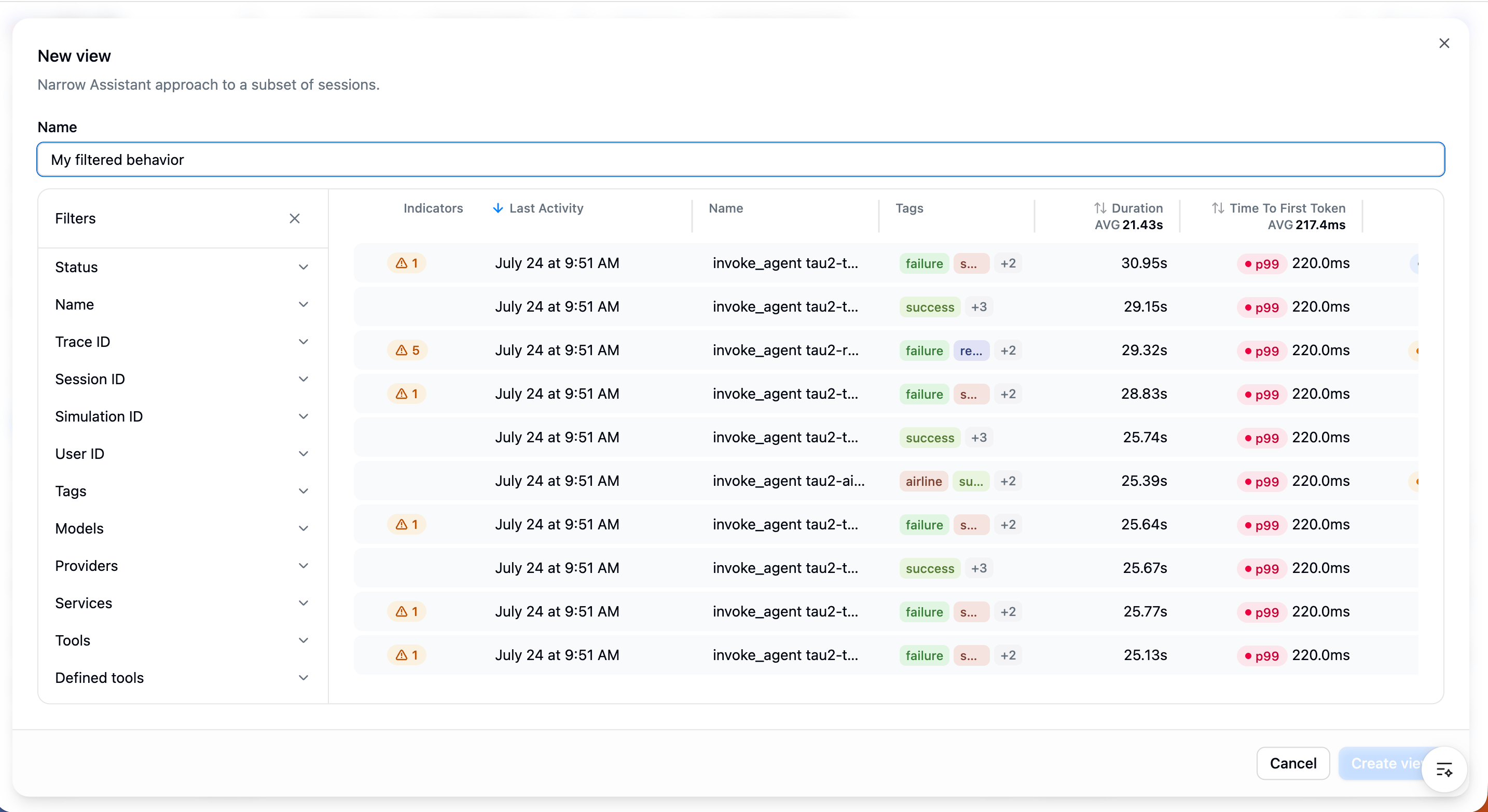
A **view** is a saved filtered slice of a behaviour. Inside any behaviour, click **+ View** to keep only the sessions that match a filter, for example one environment, one release, or a metadata value, and the behaviour re-groups those sessions alone. Views are saved under their behaviour, so you can return to "User goal, EU customers only" without rebuilding the filter each time.
## Narrow a behaviour with views
A **view** is a saved filtered slice of a behaviour. Inside any behaviour, click **+ View** to keep only the sessions that match a filter, for example one environment, one release, or a metadata value, and the behaviour re-groups those sessions alone. Views are saved under their behaviour, so you can return to "User goal, EU customers only" without rebuilding the filter each time.
 ## Filter searches by topic
The Topics behaviour is also available as a **Topics** filter in [Search](../search/overview), so you can narrow any search to a specific topic and combine it with semantic, text, and metadata filters.
## Next step
* [Saved searches](../search/saved-searches): bookmark a search and review it over time.
* [Signals](../signals/overview): turn recurring failures in a behaviour into a tracked signal.
## Filter searches by topic
The Topics behaviour is also available as a **Topics** filter in [Search](../search/overview), so you can narrow any search to a specific topic and combine it with semantic, text, and metadata filters.
## Next step
* [Saved searches](../search/saved-searches): bookmark a search and review it over time.
* [Signals](../signals/overview): turn recurring failures in a behaviour into a tracked signal.